Product
How Vector auto repair shop software works
One process, the whole workshop, every detail. Vector CRM is built around a shop's real working cycle — not the other way round. Here's what's inside.
The core
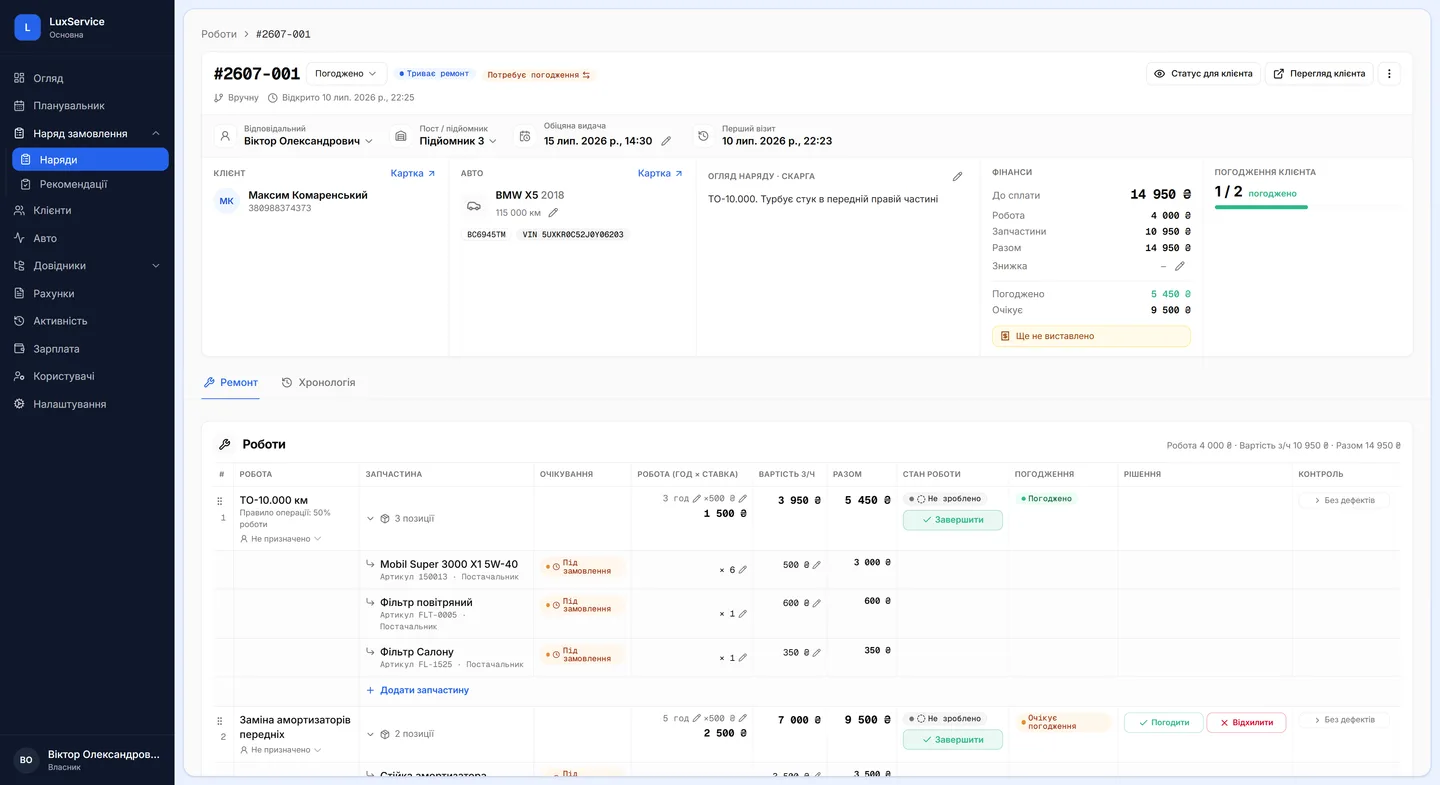
Work orders
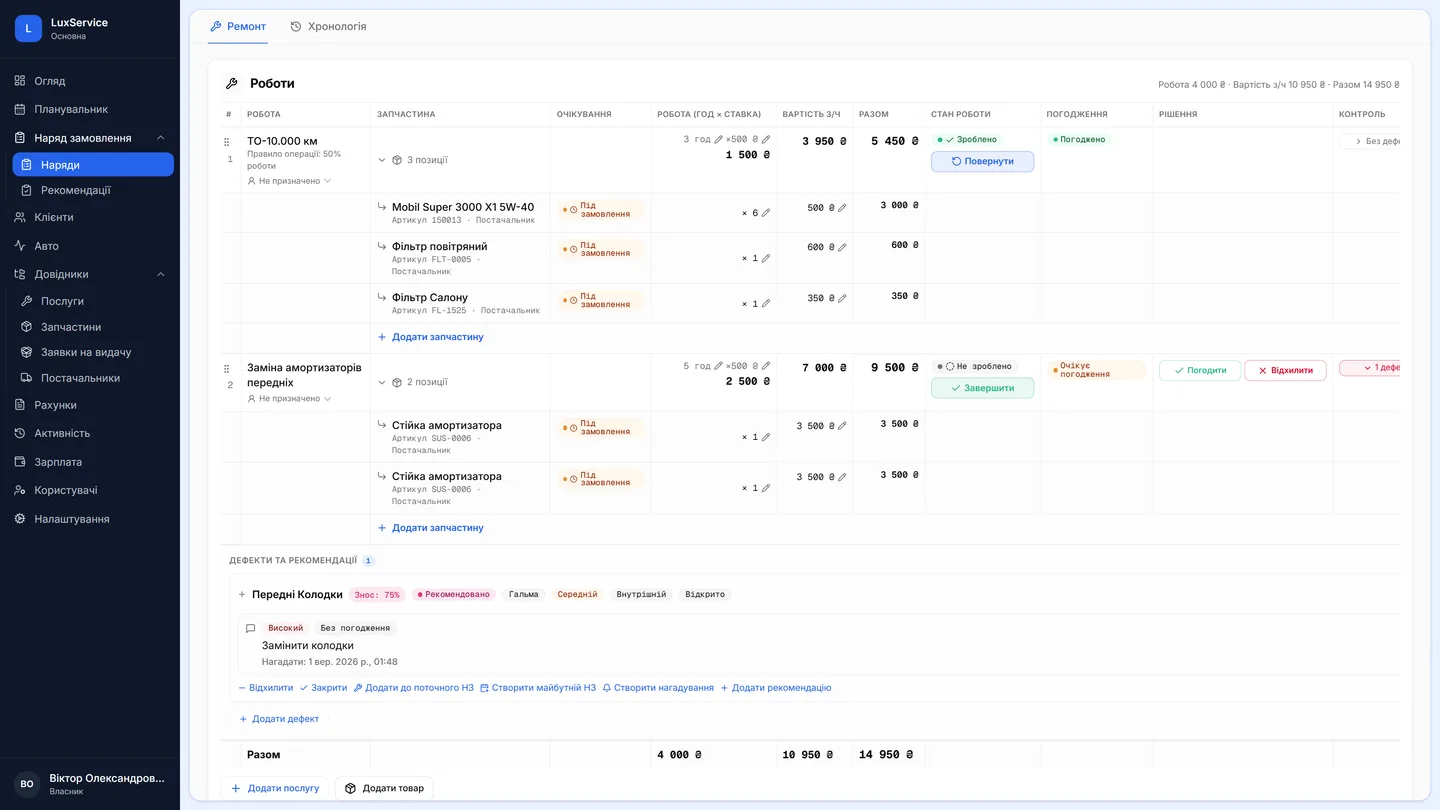
Every visit is one work order structured as work groups → line items. Diagnostics, inspection, repair and custom work for tuning or detailing — one model covers all of it.
- Labour, parts, photos and approvals — all in the order's context
- Statuses update from the team's actions, not by hand
- An internal status for the workshop, a clean status for the customer
Where a repair starts
Scheduler & bay loading
Bookings on a board — by mechanic or by bay, drag-and-drop. A queue holds the customers who won't name an hour. And the work you planned travels into the work order with the booking.
- A board by mechanic or by bay: who's free, and when the next slot opens
- A no-fixed-time queue for the customers who'll turn up “sometime in the morning”
- A load view showing your busiest and your idlest mechanic
- A booking converts into a work order, planned jobs and all
Trust through facts
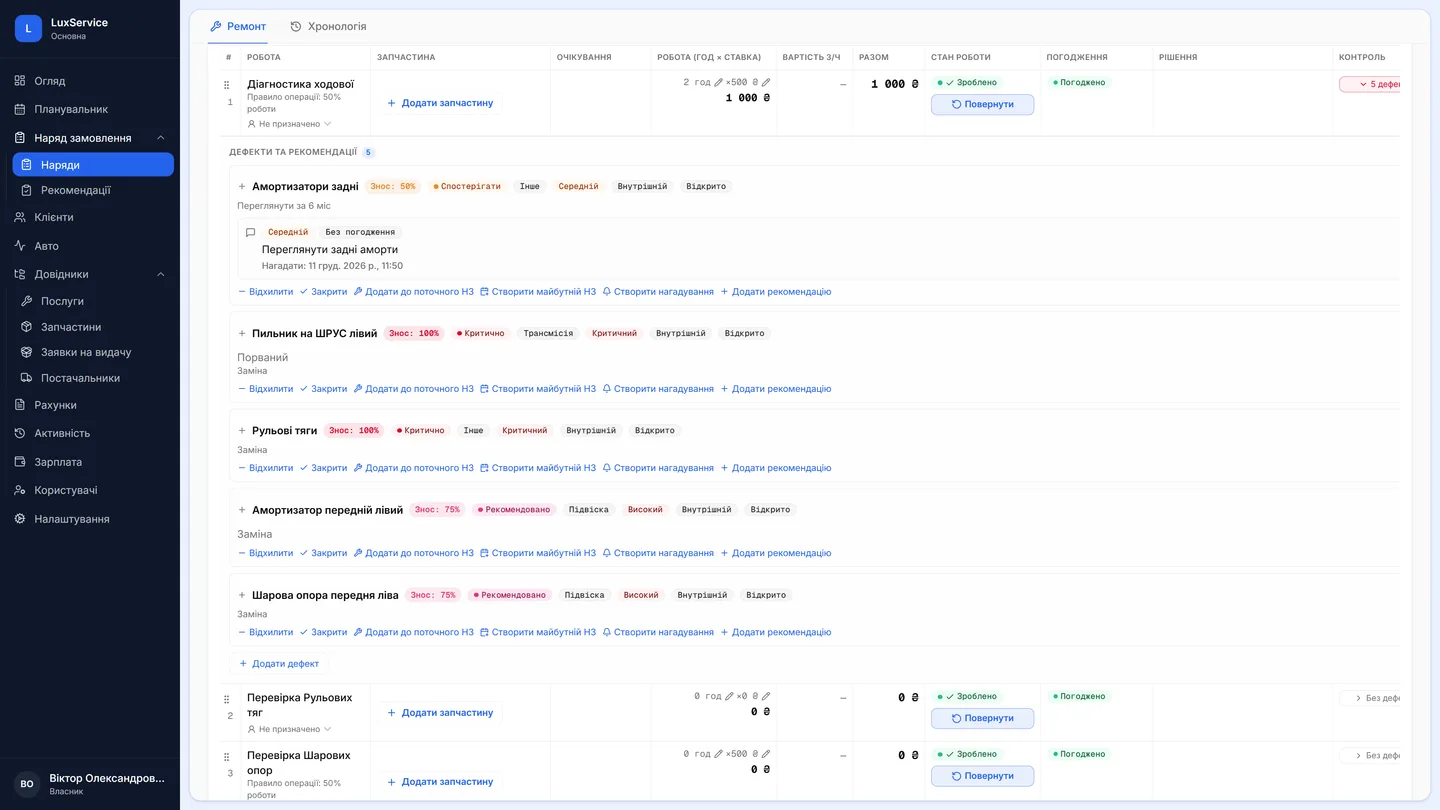
Diagnostics & inspections
The mechanic logs defects and recommendations right inside the work order: component condition, wear percentage and photo evidence. The customer sees why, not just “needs replacing”.
- Condition statuses: Monitor · Recommended · Critical
- Recommendations become work order lines in one tap
- Photo evidence — before and after
For the workshop
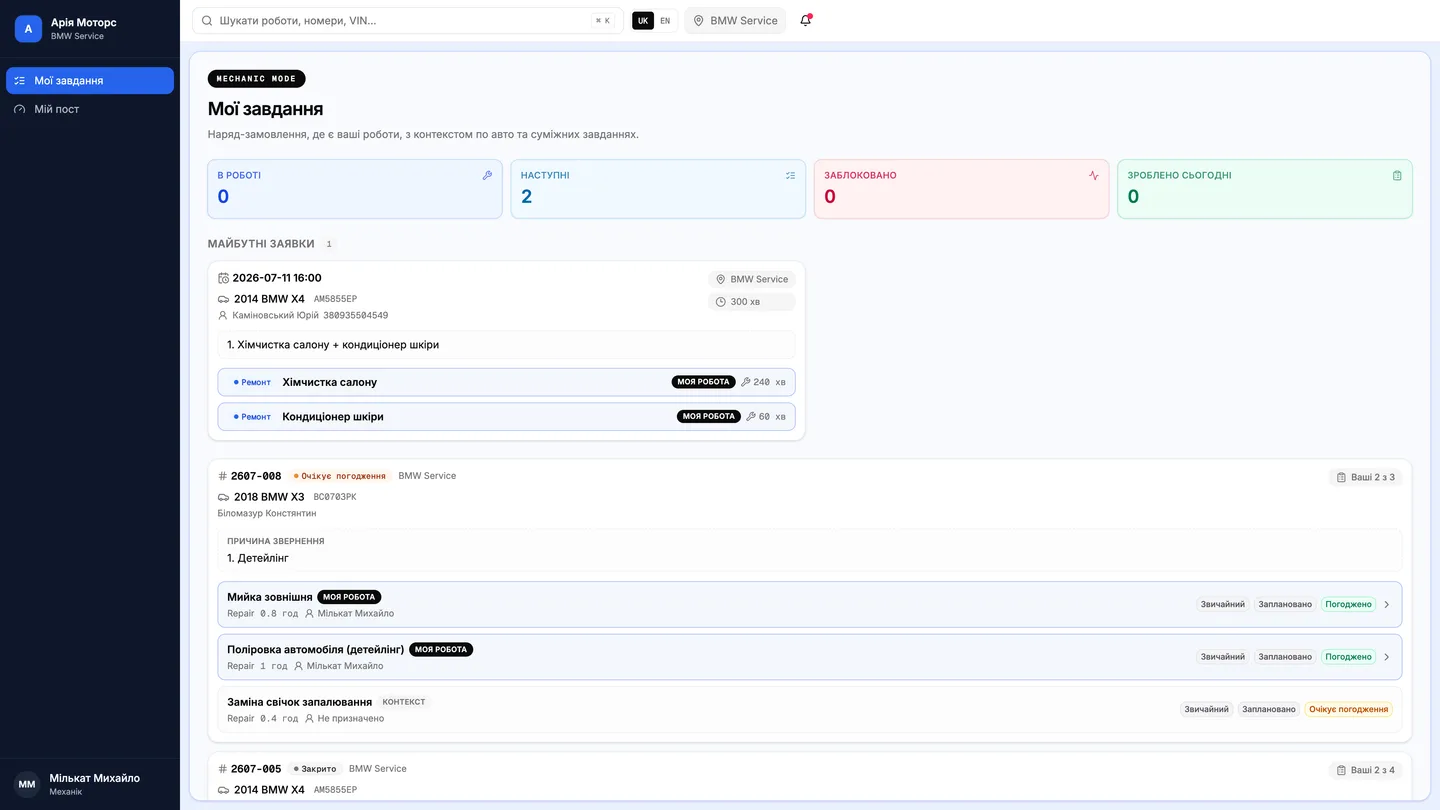
Mechanic's “My Tasks”
Mechanics see only their own work: start, complete, fill the checklist, attach photos. Works on tablets and phones, autosaves every entry.
- Zero bureaucracy — an action-based interface
- Used parts are deducted from stock automatically
- Managers see progress without asking around
A base that works
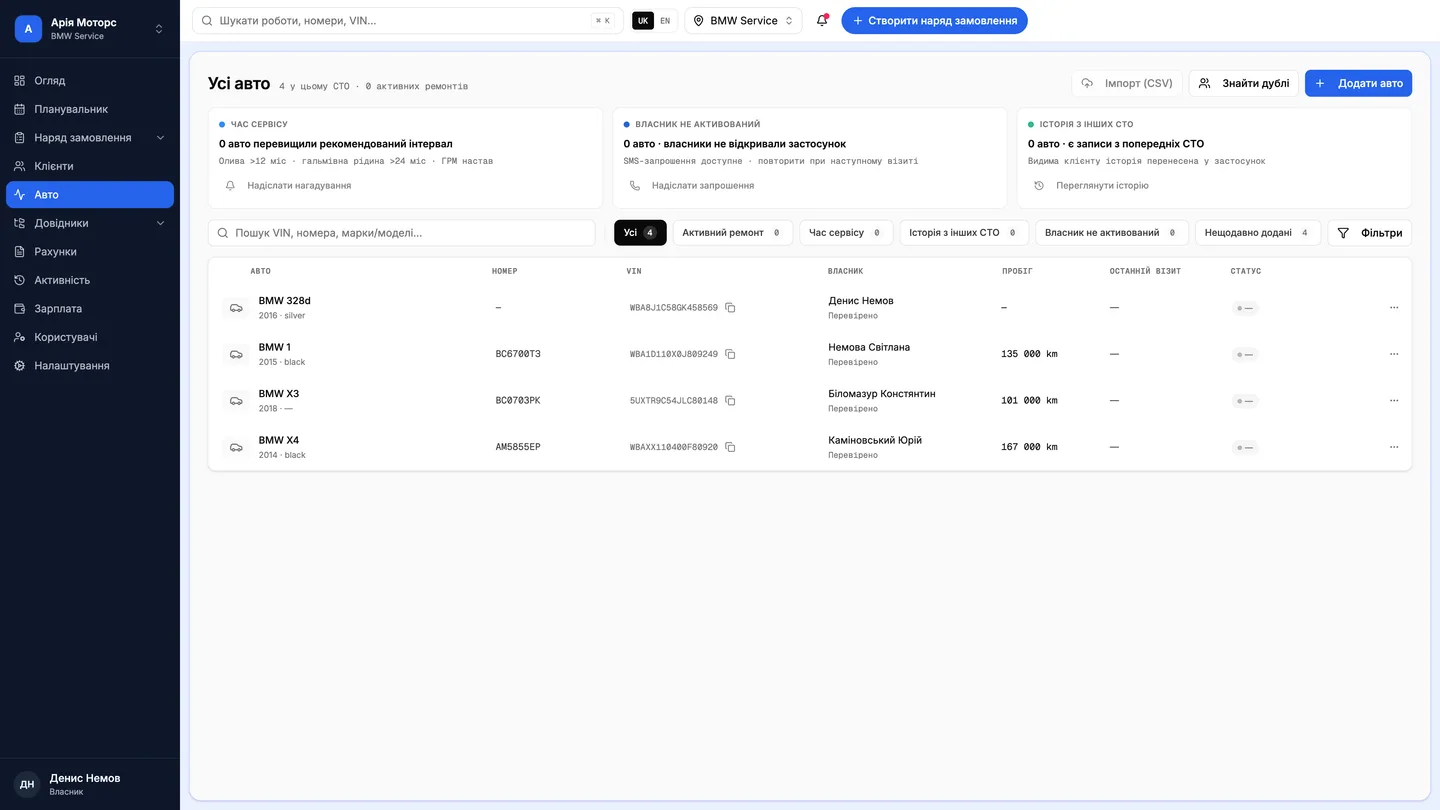
Customers & vehicles
Phone-number lookup, a full VIN-based vehicle profile and a service timeline that builds itself with every work order.
- VIN lookup prefills make, model, engine and spec
- The history stays with the shop and the owner
- Multiple cars per customer, multiple locations per shop
Parts without chaos
VIN parts search & warehouse
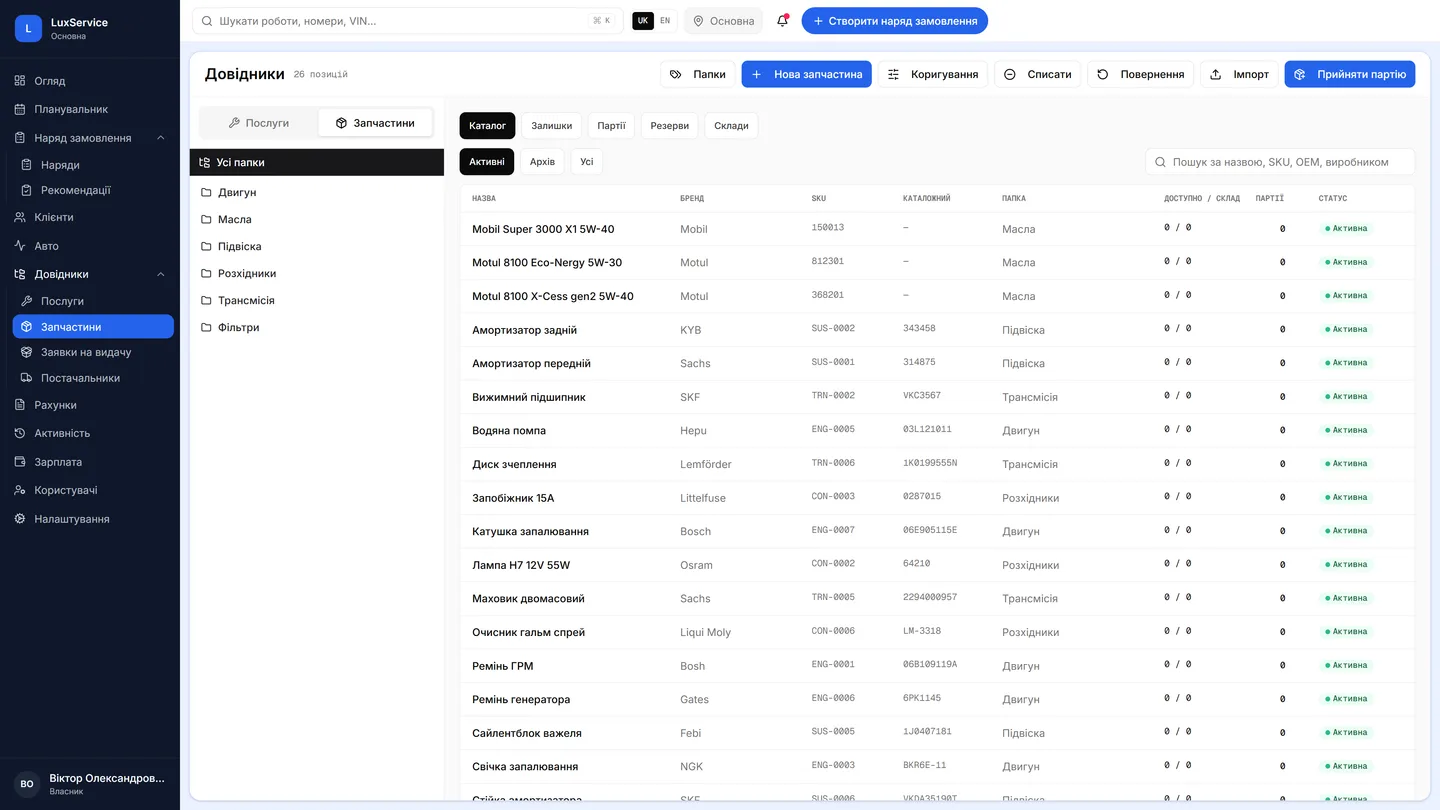
The TecDoc catalogue inside the work order: search by VIN, model or part number. A simple warehouse with per-order reservations — no ERP overhead.
- Reserve parts to an order, deduct on use
- Stock levels, low-stock thresholds and a full movement log
- Manual entry always available as a fallback
No more “I never agreed to that”
Customer approvals
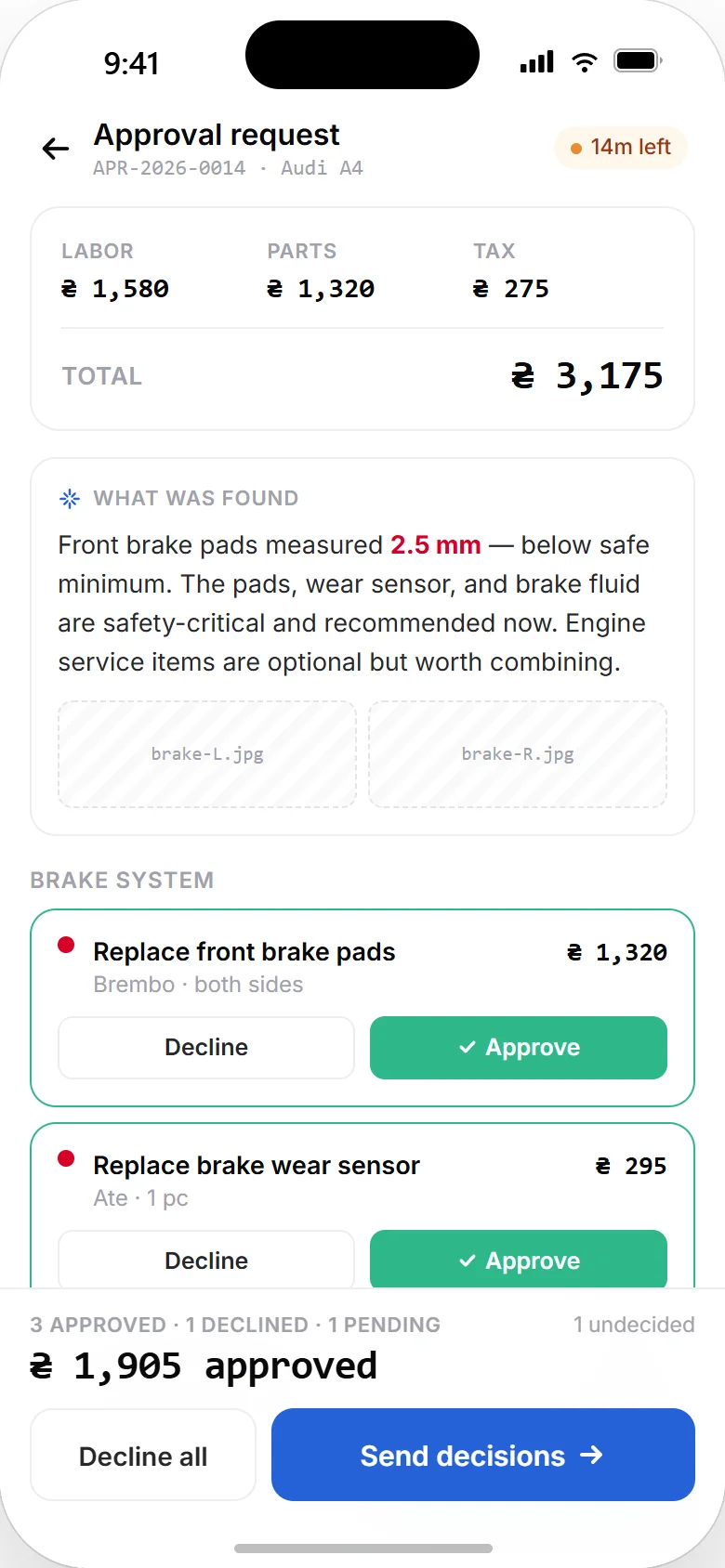
Customers approve or decline each line separately — in the app, by phone, via messenger or in person. Every decision is recorded: who, when, through which channel.
- Partial approvals: do what's approved, discuss the rest
- Estimate versioning when things change
- Approvals can be skipped for pre-agreed work
Money under control
Estimates, invoices & payments
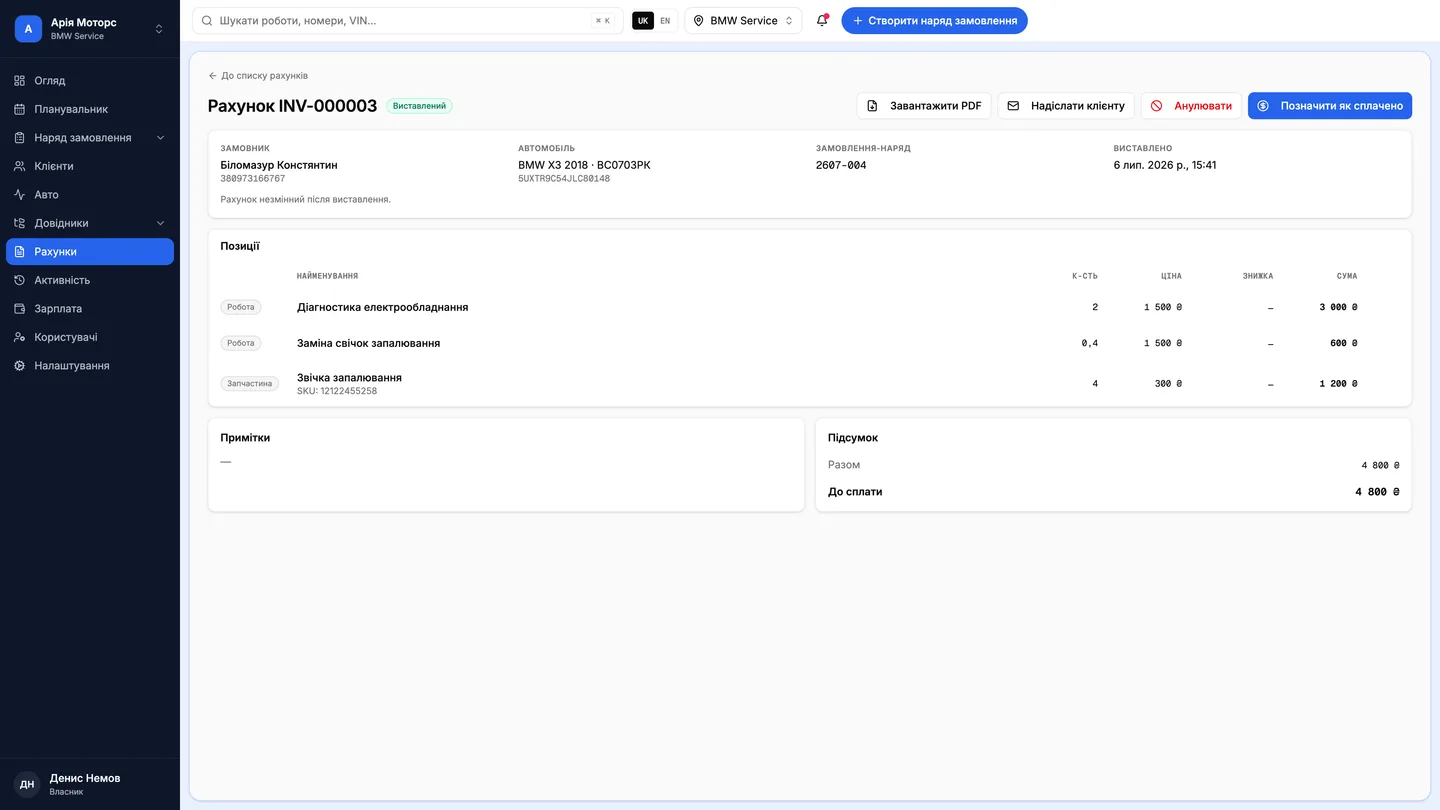
Invoices are built from approved lines: labour, parts, discounts, VAT if you need it. Online payment via LiqPay and WayForPay, or record cash and card terminal payments.
- Partial payments and deposits
- Snapshot documents: a historical invoice never changes
- Payment status visible on the order and in reports
Finances
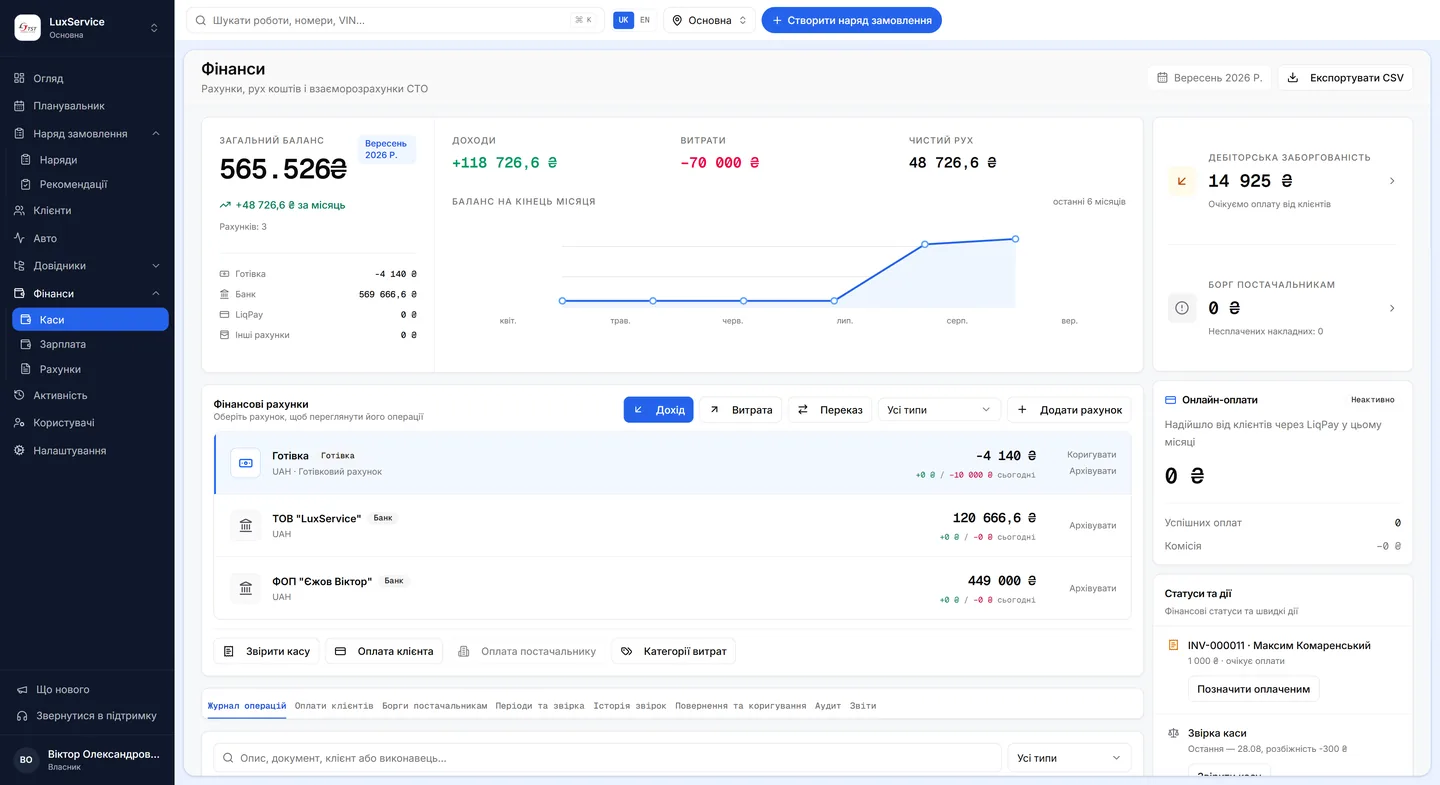
Cash desks, accounts & reconciliation
Every hryvnia the shop holds, on one screen and in real time: what's in the cash desk and the bank accounts, what came in and went out this month, who owes you and whom you owe. Not accounting — management reporting an owner can actually read.
- Total balance plus the standing balance of every cash desk and bank account
- Income, expenses and net cash flow per period, with expense categories
- Customer receivables and supplier debts — overdue items surface on their own
- Transfers between accounts, cash reconciliation, refunds, adjustments and an audit trail
- Payroll accrues automatically from completed work, on each employee's own model
- Online customer payments, and CSV export for any period
What the shop software costsWhat the car owner sees in the app
Questions & answers
Frequently asked questions
How do I get started with Vector?
Sign up on the portal — it takes a minute and needs no card. The first month is free with every feature, so you can run real work orders through it before deciding. If you want help with setup or a walkthrough on your own workflows, book a demo.
Can you migrate our data from our old system?
Yes — and we do it, not you. We migrate customers, vehicles, services, stock levels and service history out of any shop-management CRM (1C exports included), or straight from your Excel and CSV files, even raw ones kept in whatever format grew up over the years. We agree the format up front, load everything into your account and show you the result; go-live happens only once you have confirmed nothing is missing.
How much does it cost?
The cost depends on your active locations and the employees you assign work to; every band includes the same functionality. Current tariffs and an estimator live on the Pricing page. The first month is free on every plan.
Do my customers have to install the app?
No. The whole workflow runs without the app: phone, messenger or in-person approvals are recorded all the same. The app adds transparency — it isn't a requirement.
Is Vector only for repair shops?
No — it's for repair shops, tuning studios and detailing. The “custom work” type exists precisely for non-standard projects.
Do you support multiple locations?
Yes. Orders, stock, customers and reports are scoped per location: one location is active at a time and the owner switches between them in one click. Employee seats are shared across the whole account.
What languages does it support?
The product interface is in Ukrainian. An English interface is in development; this site and our documents are available in both languages.
See Vector from the inside
Apply for access — we'll walk you through the system using your own shop as the example.
Start free