No more “I never agreed to that”
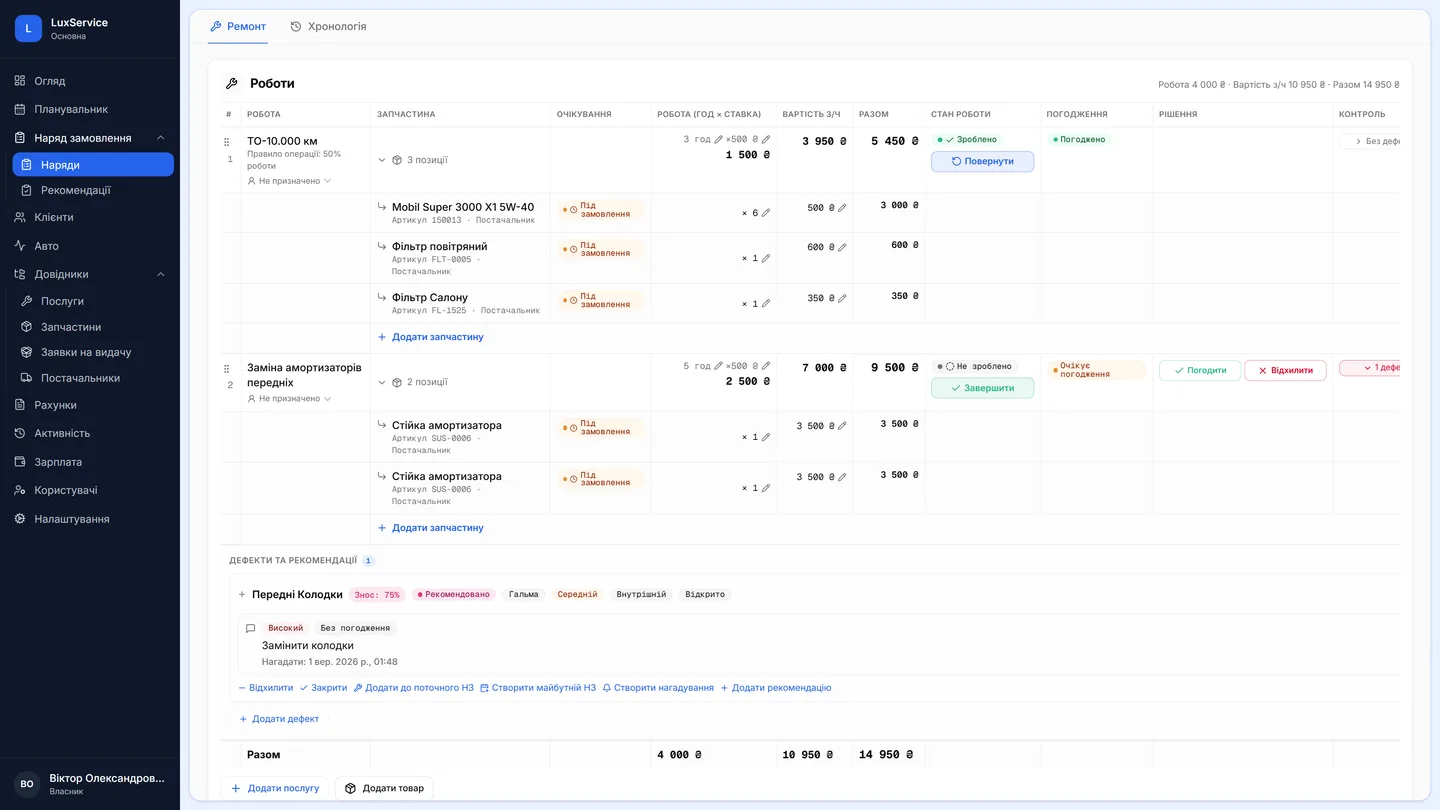
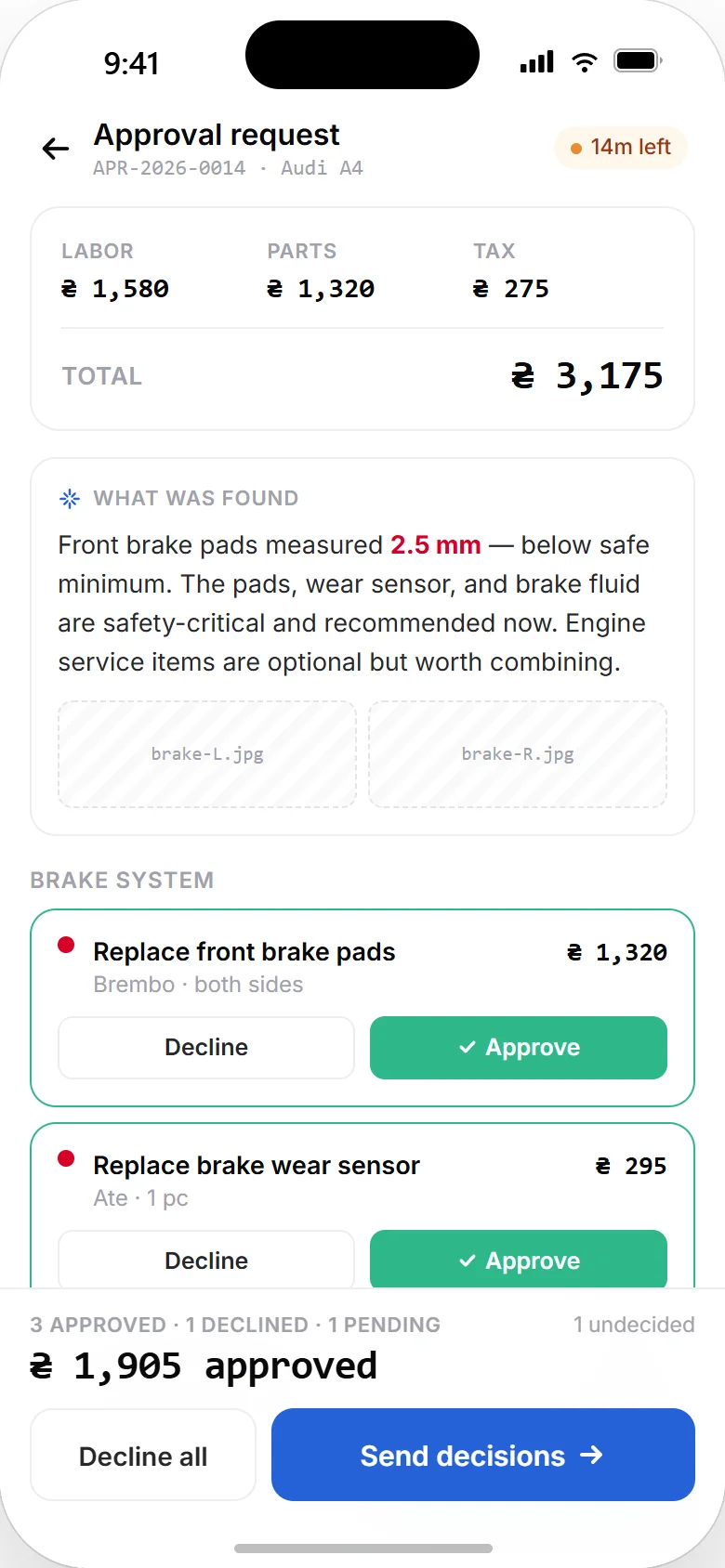
Line-by-line approvals: the customer says yes to each row
Approving “an 18,000 repair” with one tap is either trust or an argument at handover. Vector cuts the estimate into lines: the customer approves specific jobs and specific parts, and the rest can be discussed calmly.
No more “I never agreed to that”
Customer approvals
Customers approve or decline each line separately — in the app, by phone, via messenger or in person. Every decision is recorded: who, when, through which channel.
- Partial approvals: do what's approved, discuss the rest
- Estimate versioning when things change
- Approvals can be skipped for pre-agreed work
What actually gets sent
You can send a single job, several jobs, an item, several items, or the whole order — depending on what the conversation is actually about. This is one of the system's defining differences: the customer approves specific lines, not the order as a block.
Along with the list, the customer sees the context: jobs, items, defects, recommendations and photos. Which is why an approval here doesn't read like an invoice — it's an explanation with a price attached, rather than a price you're asked to trust.
How an approval runs
The advisor assembles the list and hits “send for approval”. The customer gets a push notification, opens the app, sees the lines with their photos and recommendations — and approves or declines each one. The order updates itself.
Every line carries its own state: not sent, awaiting approval, approved, declined. The order totals the full amount, the approved amount and the amount due separately — so at any moment it's clear exactly what the person has agreed to.
- Assembles the work list
- Sends it for approval
- Does what was approved
- Gets a push notification
- Sees photos and recommendations
- Approves or declines
The decision is recorded with its channel: app, phone, in person.
When there is no app
Not every customer will install an app, and the system doesn't require it. An approval given by phone, over a messenger or in person is recorded on the order in the same way — noting who decided, when, and through which channel.
For pre-paid or pre-agreed work, approvals can simply be skipped. The point of the mechanism isn't to add a step; it's to record the decision where the decision actually matters.
Questions & answers
Frequently asked questions
Can a customer approve only part of the work?
Yes — that's the main scenario. The customer approves some lines and declines others; the shop does what's approved and discusses the rest separately. The order shows the approved total apart from the full one.
What if the estimate changes after approval?
New lines go out for approval separately. An invoice is built only from approved lines, so nothing the customer didn't agree to can end up on the document.
Does the customer have to install the app?
No. The app adds transparency — push, photos, decisions from a phone — but an approval given by phone or in person is recorded on the order just the same.
The defects a customer seesHow an invoice grows from what's approvedThe car-owner app