Money under control
Invoices: from approved lines, with no manual recalculation
An invoice is the financial projection of a work order, not a separate document someone types up at the end of the day. It's built from what the customer already approved — and once issued, it never changes.
Money under control
Estimates, invoices & payments
Invoices are built from approved lines: labour, parts, discounts, VAT if you need it. Online payment via LiqPay and WayForPay, or record cash and card terminal payments.
- Partial payments and deposits
- Snapshot documents: a historical invoice never changes
- Payment status visible on the order and in reports
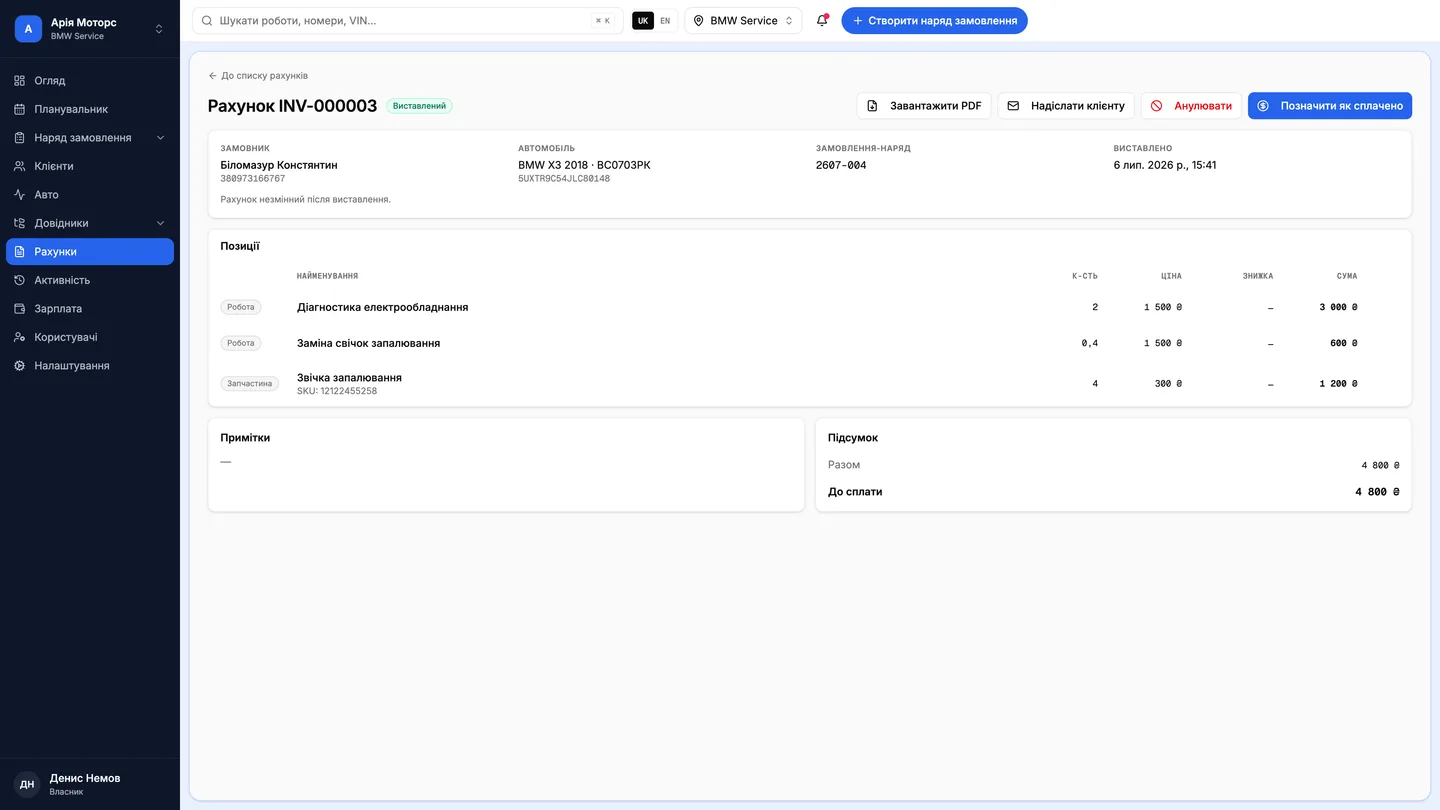
An invoice is never created by hand
Approved jobs, approved parts and approved items flow onto the invoice automatically — with name, quantity, price, discount and total per line. There's no manual list-building at all, so “we forgot to add it” stops being a possible outcome.
One order can produce several invoices: diagnostics billed separately from the repair. The order shows each number and its payment state.
Order lines
- Replace pads
- Front pads
- Suspension diagnostics
- Replace discs
Invoice #1042
- Replace pads1,200
- Front pads2,450
- Suspension diagnostics600
A declined line never reaches the document at all.
An issued invoice cannot be edited
Once created, the total is fixed and the invoice's contents can no longer be changed. Any change goes through issuing a new invoice or voiding the existing one. The constraint is deliberate: a historical document that can be quietly amended isn't a document.
The lifecycle is simple and visible: draft, issued, partly paid, paid — or voided. The list filters by those states, and search works on invoice number, order number, customer and vehicle.
- Total was fixed
- Contents cannot change
- A new document
- Both stay in the history
Payment: online, in parts, or as usual
An invoice prints, exports to PDF and sends to the customer. With LiqPay online payment configured, the customer can settle it straight from the mobile app — without driving over or making a manual transfer.
Partial and full payments are both supported, so a deposit for parts and the balance at collection are two records against one document rather than two documents. Payment status shows on the invoice and on the order.
Questions & answers
Frequently asked questions
Can a mistake on an issued invoice be corrected?
Not by editing it. The existing invoice is voided and a new one issued — which keeps the financial history transparent and auditable.
Does the customer need the app to pay?
Online payment via LiqPay happens in the car-owner app. Cash, card terminal and bank transfer are recorded in the system as ordinary payments against the invoice.
Can an invoice be issued before the repair is finished?
Yes — an invoice is created from an open order using the lines already approved. That's the normal route for taking a deposit against parts.
Where approved lines come fromCash desks, finances and payrollVector pricing