A base that works
Customers and vehicles: a history that builds itself
A card index you have to maintain by hand is out of date within a month. Here a vehicle profile is assembled from its VIN, and the service history accumulates on its own — from every closed order, across the car's whole life.
A base that works
Customers & vehicles
Phone-number lookup, a full VIN-based vehicle profile and a service timeline that builds itself with every work order.
- VIN lookup prefills make, model, engine and spec
- The history stays with the shop and the owner
- Multiple cars per customer, multiple locations per shop
A vehicle is created from its VIN
Creating a vehicle takes four steps, and the first is the VIN. The system validates it, looks the car up, and pulls its technical specification through TecDoc. You then confirm or extend the specs, assign an owner, and save.
A car can also be created manually, without a VIN. But some functions — automatic parts matching in particular — will then be unavailable or limited, because matching works off that technical profile.
- Make and model
- VW Passat B8
- Year
- 2018
- Engine
- 2.0 TDI, 110 kW
- Transmission
- DSG-7
- Body
- Estate
The specification comes through TecDoc.
Search that finds it first time
A customer can be found by name, phone number, the VIN of their car or an order number — several parameters at once, with results appearing as you type. Vehicles are searched by VIN, plate, make and model.
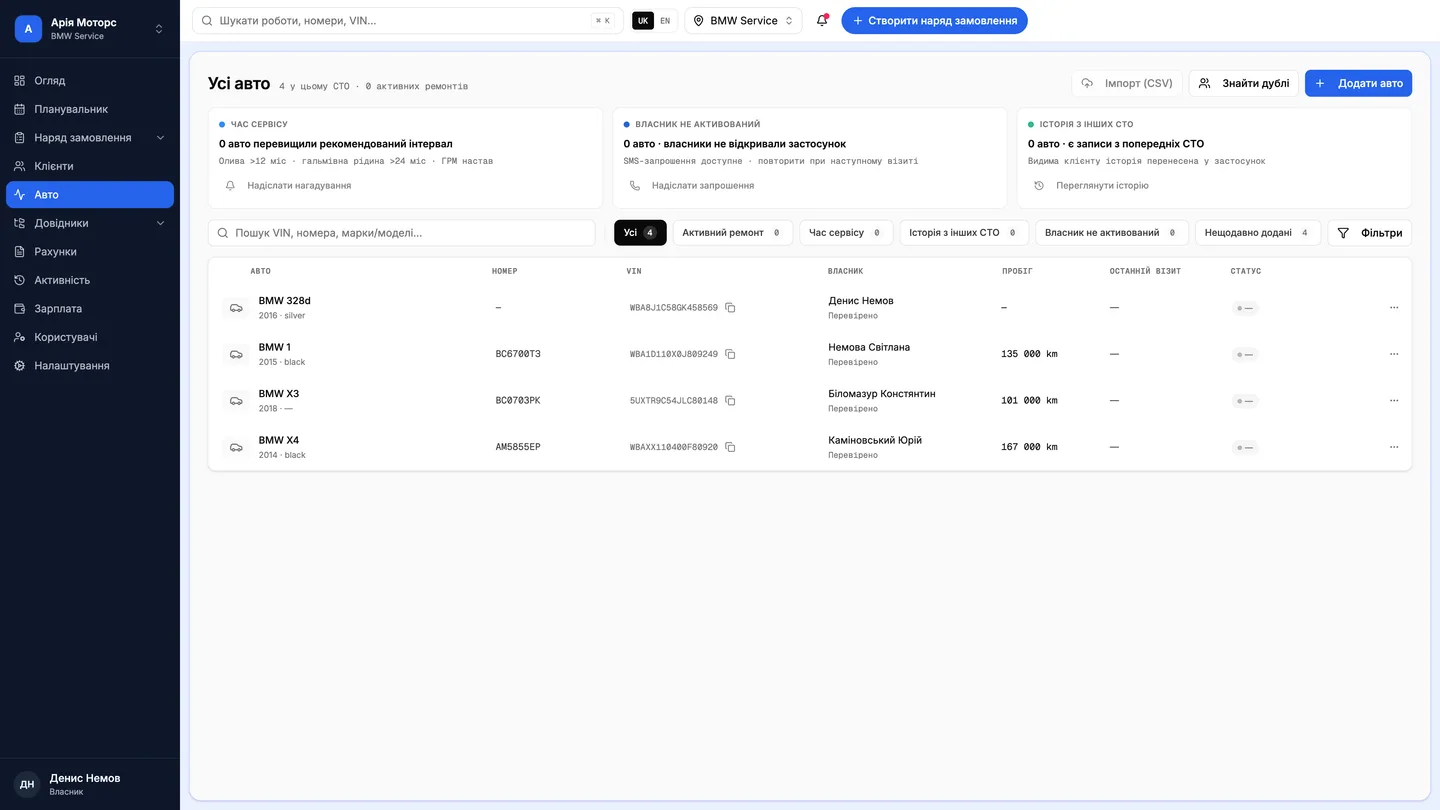
The vehicle list shows make and model, plate, VIN, current owner, mileage and the date of the last visit. That's the minimum needed to recognise a car over the phone while the customer is still talking.
The owner changes, the history doesn't
A vehicle can be handed to a new owner without losing its repair history. The history belongs to the car, not the person — so a used car arrives at your shop with a biography rather than a blank sheet.
A vehicle profile shows the work done at your shop. If the customer has been served elsewhere on the Vector platform, the combined history is visible only to them, in the car-owner app. Each shop sees its own records, and that is deliberate.
Questions & answers
Frequently asked questions
Can I see what another shop did to the car?
No. The combined cross-shop history is visible only to the car's owner, in their app. Your shop sees the work done at your shop — just as others see only theirs.
How many cars can one customer have?
Any number. One customer can hold several vehicles, and a shop can run several locations; customers, cars and orders are each scoped to a location.
What if the VIN isn't known?
Create the vehicle manually — that's supported. Just bear in mind that automatic parts matching relies on the VIN-derived profile, so it will be limited without one.
Parts matching and the warehouseHow the work order worksThe car's history, from the owner's side